
Workflows & workers (Studio)
Studio is where the private AI stops waiting to be asked and starts preparing work in advance. Describe a workflow in plain language and it builds a reusable one that runs on a schedule, acts on the inbox, and has the work ready before someone needs it. Workflows can be kept private or shared across the team.
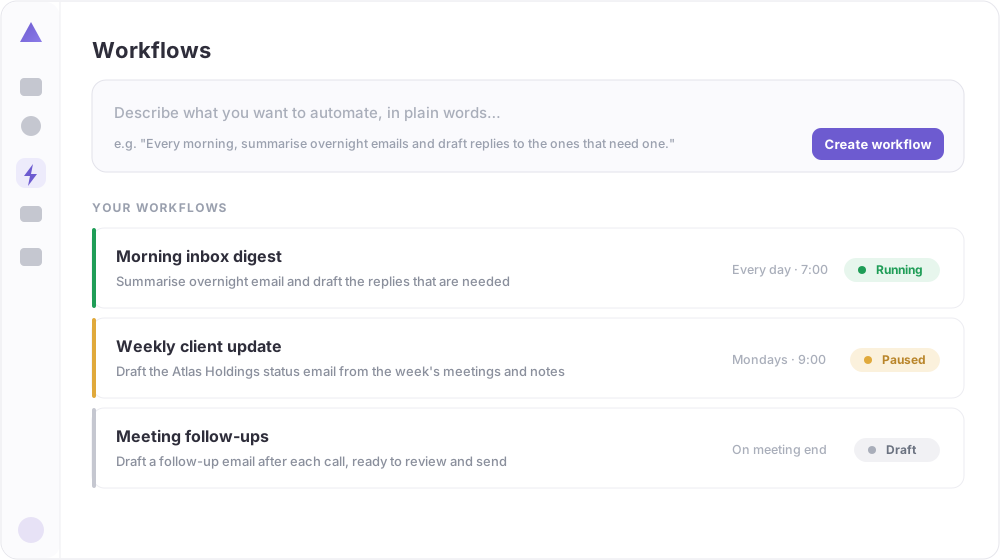 Describe a workflow in plain words and create it. The library shows each one as running, paused or draft (demo data).
Workflows
- Describe it in plain words: for example, “every morning, summarise overnight emails and draft replies to the ones that need one.”
- Runs on a schedule: the workflow runs on its own and acts on the inbox, calendar and Drive.
- A shared library: keep a workflow private, or share it with the team, with each one shown as draft, paused or running.
Workers
Alongside custom workflows, Studio offers ready-made AI workers, each set up for a common job, that a person can add in one click and adjust later.
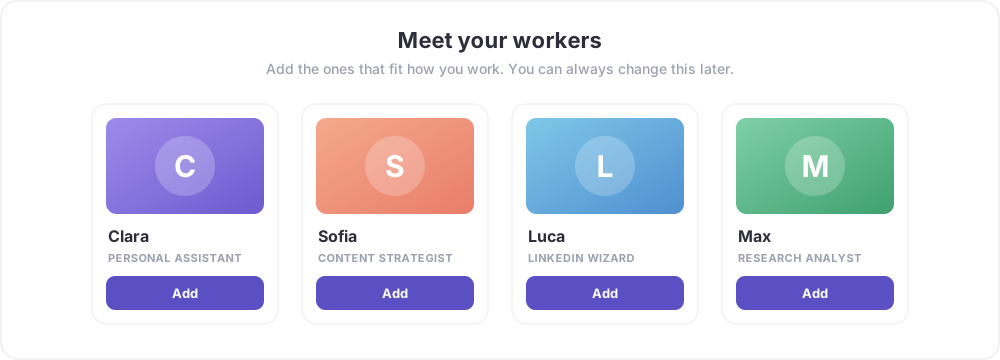 Ready-made workers for common roles. Add the ones that fit how the person works (demo data).
- A personal assistant for inbox and calendar.
- A content strategist and a social writer for posts and updates.
- A research analyst for background work before a meeting or decision.
Good to know
This is where a deployment becomes ongoing, scheduled automation: recurring value the partner can set up, manage and expand over time, rather than a one-off project.