
Meetings
An AI meeting assistant connected to the calendar. It prepares a briefing for upcoming meetings, records and transcribes the ones the person joins, and turns each into searchable notes, all inside the private environment. Meeting prep is done in advance and notes are taken automatically, so people can listen instead of typing.
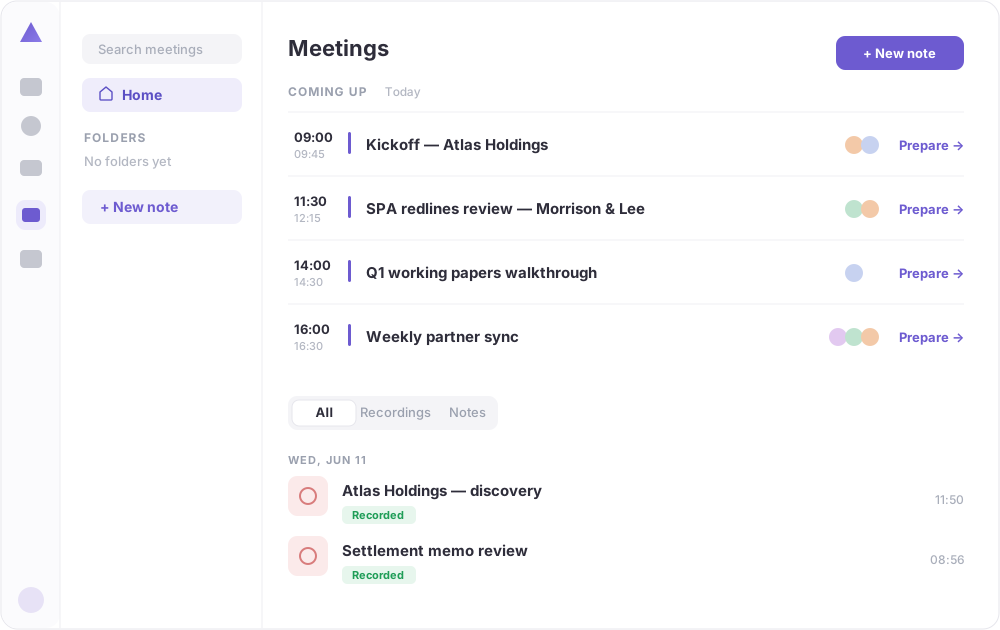 Upcoming meetings sit at the top, each with a one-click “Prepare”. Below are past meetings, recorded and turned into notes (demo data).
What you can see
- Coming up: every upcoming meeting from the connected calendar, each with a one-click Prepare that pulls together a briefing from past threads, notes and documents before the call.
- Recording and transcription: meetings the person joins are recorded and transcribed automatically.
- Notes: each meeting becomes a structured, searchable note with the key points and actions.
- History and folders: past meetings are kept in one searchable place and can be grouped into folders.
How it fits the rest of the workspace
- Briefings draw on the inbox and Drive, so prep reflects the actual relationship, not a generic agenda.
- Transcripts and notes land in Drive, where the private AI can read them to answer later questions.
- A workflow can act on a meeting once it ends, for example drafting the follow-up email.
Good to know
The assistant prepares the meeting in advance and writes the notes during it, so the person walks in ready and walks out with the record already done. Nothing is sent to an external transcription service.